Goofy Ahh Minecraft Skins Ideas and How to Use Them 2026
Goofy ahh Minecraft skins are intentionally silly character designs used to make a player look strange, absurd, or meme-like in Minecraft. They may use exaggerated faces, awkward proportions, random costume ideas, or a familiar Minecraft mob edited into a joke. The goal is usually a laugh, not a polished role-playing outfit.
The phrase “goofy ahh” is casual internet slang for “goofy-ass,” with “ahh” used as a stylized spelling. In skin culture, it describes a deliberately ridiculous look: a character with an oversized head, an odd expression, a food costume, or an unexpected mash-up.
What makes a Goofy Ahh Minecraft Skins?
A Goofy Ahh Minecraft Skins is funny because it breaks expectations. Instead of trying to look realistic, intimidating, cute, or lore-accurate, it leans into a visual gag that other players can understand quickly.
Common traits include:
- Exaggerated facial features: giant eyes, a stretched smile, a blank stare, or mismatched eyes.
- Absurd costumes: a banana, carton, household object, animal, or food item made into a character.
- Unexpected combinations: a villager in a superhero suit, a creeper in formalwear, or a medieval knight with a comically modern accessory.
- Deliberately awkward proportions: designs that make the head, hands, shoes, or torso look unusually large or small.
- Meme references: simplified versions of recognizable online jokes, made to fit the Minecraft skin grid.
The humor is often more effective when the design remains readable from a distance. A clear face, a strong color contrast, and one main joke generally work better than tiny details that disappear during gameplay.
Goofy ahh Minecraft skins ideas
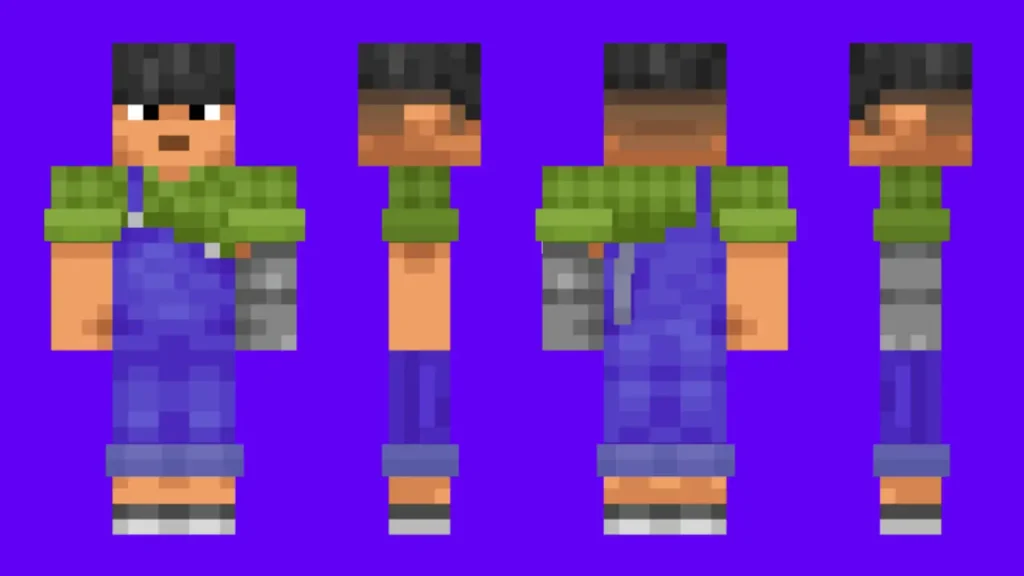
Good funny skin ideas usually start with a simple premise that still works within Minecraft’s blocky style. You do not need an intricate design to make other players notice it.
Food and object costumes
Turning an everyday item into a character is a reliable approach. Try a walking slice of toast, a sad potato, a carton with arms, a sentient traffic cone, or a character dressed as a TNT block. Add a face where it will be easy to see and keep the outline bold.
Odd animal characters
Animal skins can become much funnier with one unexpected detail. A frog in a business suit, a chicken wearing sunglasses, a confused-looking axolotl, or a sheep with a tiny crown can create a joke without needing a reference that everyone knows.
Mobs with a twist
Minecraft mobs already have recognizable shapes and colors, so changing their role can be effective. A creeper with a tie, an enderman in pajamas, a villager in a graduation cap, or a zombie trying to look fancy are simple concepts that suit the game.
Overly serious characters
Make a powerful-looking character funny by giving it an unsuitable expression or outfit. Examples include a warrior with enormous pink slippers, a wizard with a shocked face, or a tough-looking miner wearing a duck floatie. The contrast is the joke.
Simple reaction-face skins
A large reaction face can work especially well for short videos, screenshots, and casual multiplayer sessions. Use a readable expression such as confusion, surprise, boredom, or an exaggerated grin. Avoid copying artwork you do not have permission to use; creating your own version gives you more control.
Choose the right skin model first
Before downloading or making a skin, check whether it uses the Classic or Slim player model. Classic arms are four pixels wide, while Slim arms are three pixels wide. The wrong selection can make the arms look misaligned or leave unwanted-looking gaps.
| Model | Arm width | Best use |
|---|---|---|
| Classic | 4 pixels | Traditional, blockier-looking characters and many older designs |
| Slim | 3 pixels | Narrower arms and skins designed specifically for the Slim layout |
Most skin editors and official profile tools ask you to choose a model. Match the setting to the skin file’s intended layout rather than choosing based only on personal preference.
How to get and use a funny skin safely
You can make a goofy skin yourself, use a skin editor, or download one from a reputable skin-sharing site. The safest option is a standard image file made for Minecraft’s skin format, rather than an installer, mod package, or unknown executable file.
- Pick or create a skin image. Use a Minecraft-compatible PNG file. A skin template or browser-based editor can help you place details correctly.
- Check the model. Confirm whether the design is Classic or Slim.
- Preview the skin. Make sure the face is not upside down, the outer layer lines up, and the design is not accidentally transparent in key areas.
- Upload it through your Minecraft account profile or the game’s supported dressing room/profile options. The exact steps differ between Java Edition and Bedrock Edition, and menus can change over time.
- Confirm it in-game. Join a world and use third-person view if you want to inspect how it looks while moving.
On some multiplayer servers, other players may not see custom skins if they use settings that hide them. Server rules can also limit inappropriate or disruptive designs, so choose a skin that fits the community.
Making your own goofy skin Goofy ahh Minecraft skins
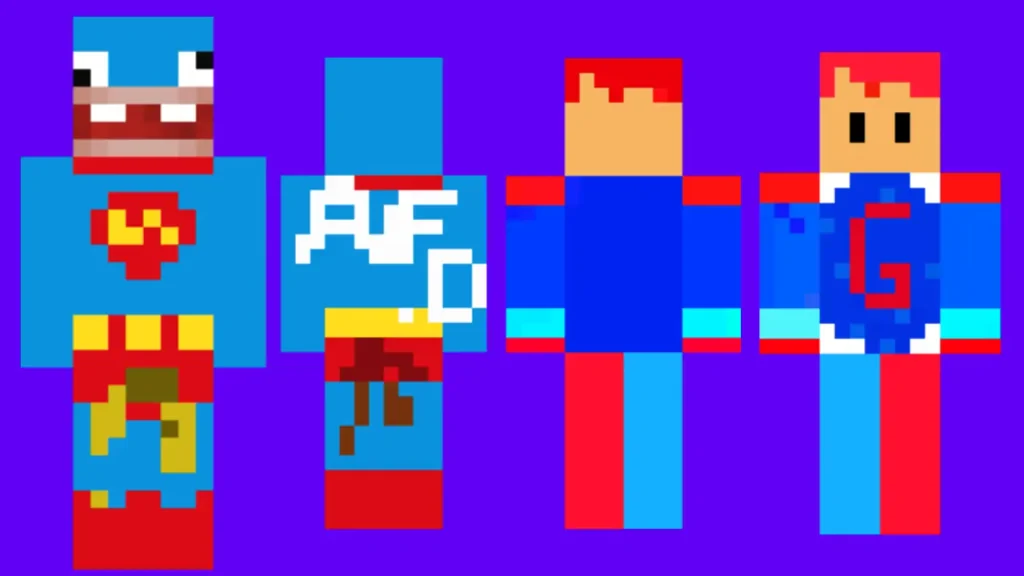
Creating your own skin is often better than hunting for the exact joke someone else has already made. Minecraft skins have limited pixel space, which makes clear visual choices more important than detailed drawing.
Start with one readable joke
Decide what the character is before adding decoration: “a fish wearing a hoodie” is clearer than “a character with lots of random bright parts.” Build the face and main colors around that idea.
Use contrast to separate features
Dark outlines around bright eyes, teeth, glasses, or accessories can make the face readable at normal game distance. If the entire skin uses similar colors, its funniest details may blur together.
Use the outer layer carefully
The outer layer can add hats, ears, glasses, hair, backpacks, capes, or a raised-looking mouth. It is useful for making a skin look strange in a deliberate way. Too many outer-layer details, though, can make the design visually messy.
Test it from different angles
A skin is wrapped around a 3D model, so artwork that looks correct on a flat template can wrap around the side of the head or torso unexpectedly. Preview it before uploading, especially if the gag depends on a face or a logo-like shape.
Things to avoid when downloading skins
A Minecraft skin should not require you to hand over your account password, install a separate program, disable security protections, or grant unusual device permissions. Treat those requests as warning signs.
- Use official account pages or well-known skin editors for uploading.
- Prefer ordinary PNG downloads over files that claim to “install” a skin.
- Do not enter account credentials into an unfamiliar skin site.
- Be cautious with skins that use copyrighted characters, artwork, or logos, particularly if you plan to share videos or use them publicly.
- Avoid designs intended to harass, impersonate, or offend other players. Funny does not need to target someone else.
Many skin galleries allow community uploads, so quality and appropriateness can vary. A quick preview and a basic file check can prevent a disappointing or unsafe download.
Funny skins versus resource packs and mods
A skin changes the appearance of your player character. It does not change blocks, menus, mobs, game mechanics, or other players’ character models. Those changes usually involve a resource pack, add-on, mod, or server-side plugin instead.
This distinction matters because a silly skin is usually a simple cosmetic choice, while mods and add-ons can have compatibility, performance, and safety considerations. If all you want is a funny avatar, a normal skin file is enough.
Make the joke work in multiplayer
The best goofy skin for multiplayer is recognizable without explanation. Keep the face near the front of the head, use a clear silhouette, and avoid visual clutter. A design may be hilarious in a close-up editor preview but hard to identify while players are mining, running, or fighting.
It also helps to match the setting. A ridiculous costume may be perfect for a casual survival world or a group screenshot, but a server with role-play, competitive, or family-friendly rules may expect a different tone. Respecting those limits helps keep the joke fun for everyone.
Frequently asked questions
Are goofy ahh Minecraft skins official Minecraft content?
No. “Goofy ahh” describes a meme-like style, not an official Minecraft skin category. Some skins are player-made, while others may be available through official or platform-specific cosmetic systems.
Can I use the same skin in Java and Bedrock Edition?
Both editions support player skins, but their account systems, character options, and upload methods are not identical. A standard skin image may work visually, but check the supported process for the edition and platform you use.
Why does my skin’s arm look wrong?
The most common cause is choosing Classic when the file was designed for Slim, or the reverse. Switch the model setting and preview the result again.
Can other players see my custom skin?
Usually, players can see it when custom skins are enabled, but privacy settings, platform restrictions, server settings, or connection issues can affect visibility.
Do I need a mod to use a custom skin?
No. Custom player skins are a standard cosmetic feature. You generally only need the supported profile or character customization option for your version of the game.
Keep it simple, original, and readable
The appeal of goofy ahh Minecraft skins is that they turn a small player model into a quick visual joke. Choose one clear concept, use the correct Classic or Slim model, and upload only ordinary skin files through trusted options. Whether you make a baffled potato, a formally dressed creeper, or an animal in an absurd outfit, the strongest designs are easy to recognize and enjoyable without spoiling anyone else’s game.